For music teachers · ABRSM Grade 5 theory
The perfect ABRSM Grade 5 theory preparation platform.
Track real-time exam readiness, and eliminate manual grading entirely. Use the built-in teaching assistant to assign the next training task.
How Grade 5 theory supervision works
You supervise practice and exam readiness — the platform runs the drills, explains mistakes, and records mastery so you never grade by hand.
01
Create the student (name first)
Teacher Basic (£7.99 · 5 seats) lets you create accounts by name. Email is optional for self-login. Use Open as student in class so progress saves without logging out.
02
Enrol them in Grade 5 theory
From their student page, tick ABRSM Grade 5 Theory under Programs. That unlocks the Grade 5 theory overview for that learner — you do not regrade papers; the platform records practice as they work.
03
See the cohort at a glance
Open Grade 5 theory from your dashboard. Every enrolled student shows exam readiness (%), how many skills are tested, and the weakest spots — so you know who needs attention before exam day.
04
Drill into one student
Open a student to see exam readiness, progress by syllabus section (rhythm, pitch, keys, intervals, chords, terms…), and an ordered list of what to practise next.
05
Assign with the built-in teaching assistant
The Assign next practice list ranks untested and weak skills. One click creates a normal assignment — complete with the right theory tool — that appears in the student’s My assignments.
In the teacher dashboard
Real screens from the platform. Missing shots below are ready for replacements when you have them.
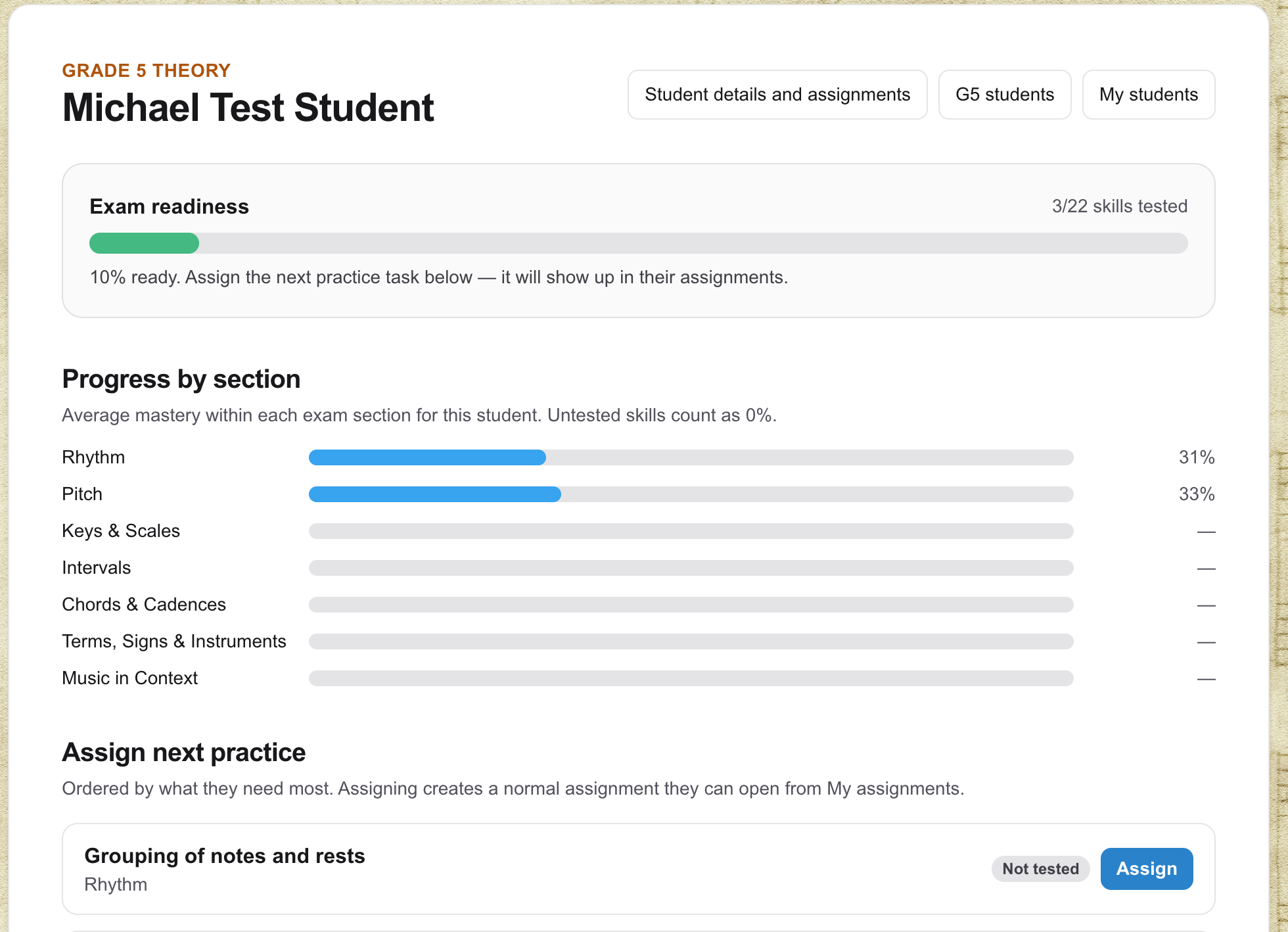
Exam readiness + next practice
For each enrolled student you see readiness, section mastery, and an ordered “Assign next practice” list. The teaching assistant puts the skill they need most first — Assign creates the assignment in one click.
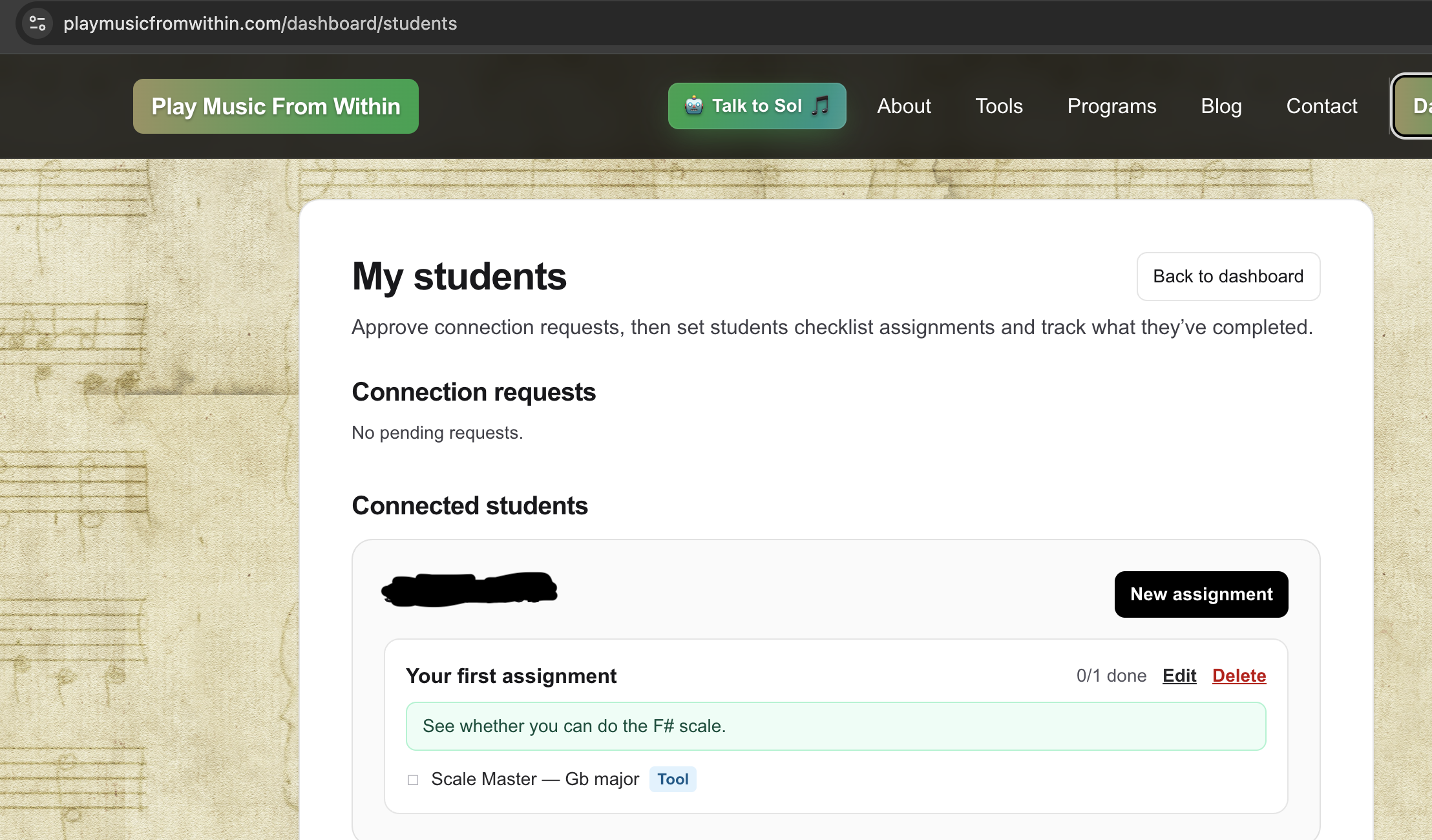
Assignments on the student list
Theory tasks land as normal checklist assignments. From My students you see what is open, edit notes, and track completion before the next lesson.
G5 students list
The Grade 5 theory hub lists every enrolled student with readiness bars and weak spots, so you can prioritise who to open first.
G5 students list (/dashboard/theory)
Ready to try it with your studio?
Subscribe to Teacher Basic, create a student by name, and enrol them in Grade 5 theory — then track readiness on their overview.